
MB WAY QR (for POS)
Information on the MB WAY QR payment method for POS.
- Introduction
- User Experience
- Details
- How to activate MB WAY QR
- Merchant Categories
- Payment method messaging
- Get Support
Introduction
MB WAY QR (for POS) allows you to generate a MB WAY QR code natively within your POS terminal. You can then present this QR code for your customers to scan with their mobile device, where they securely complete payment through their MB WAY application.
MB WAY is a Portuguese payment method where the customer enters their mobile number, registered in the MB WAY system with an MB card, and receives a validation message to authorize the payment. To pay in stores, customers use a QR code and are redirected to MB WAY application to complete the payment.
Some of the main benefits of offering MB WAY QR (for POS) as a payment method are:
- Market share: 45% market share of e-commerce transactions in Portugal, with 100% of Portuguese banking customers eligible to use MB WAY
- Supported POS solutions: MB WAY QR is available on Tap on Phone (including Viva Contactless Terminal powered by Google Play, Viva Contactless Terminal with Professional Scanner powered by Google Play & Viva Contactless / Chip & PIN Terminal powered by Google Play)
- Large customer base: Over 3.5 million customers make 9 million purchases each month
- Popularity: 57% of young adults use it for e-commerce purchases and 94% of MB WAY users always pay with MB WAY
- Flexibility: There is no need for users to carry bank cards
- Easy to use: Customers experience a seamless and secure payment experience
- Availability: MB WAY is available in a wide range of countries
- Get started quickly: There is no need for the merchant to have an account with MB WAY
User Experience
Screenshots
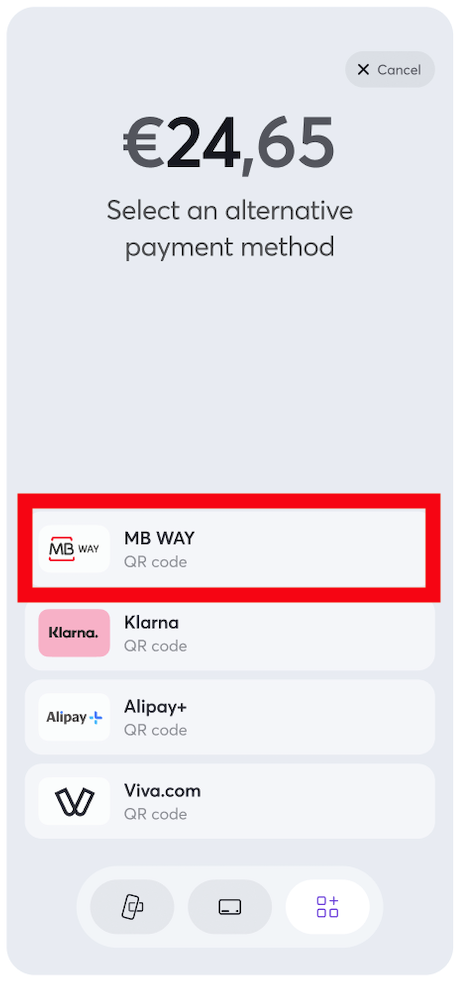
On the POS terminal, the merchant selects (1) the QR code payment option > (2) the MB WAY QR Code payment method.
The MB WAY QR code (3) is then displayed:
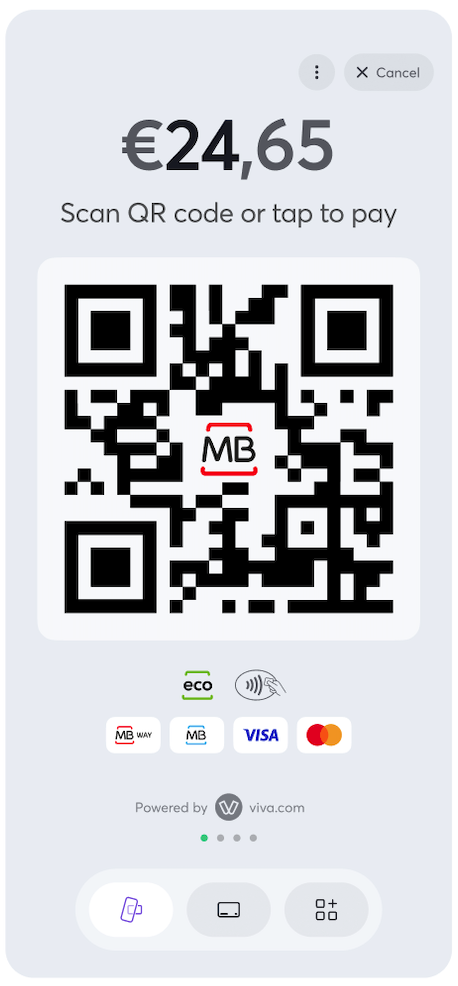
The customer then uses their mobile device to scan the QR code:
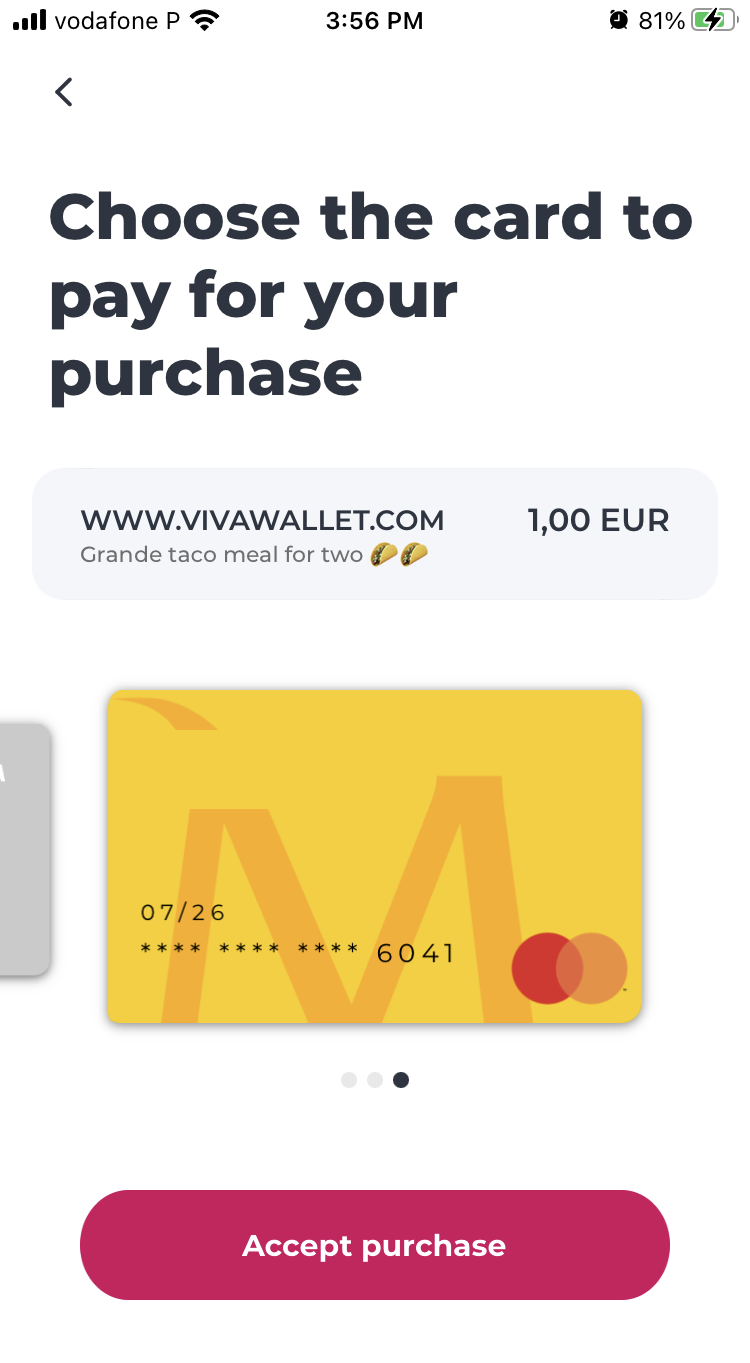
The customer is redirected to MB WAY app, review and complete their payment:
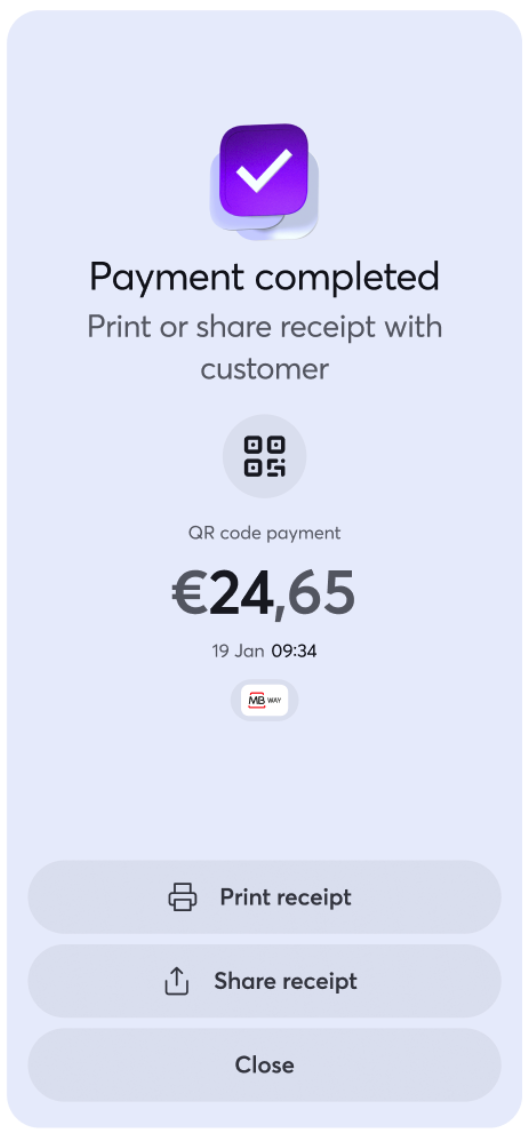
Once the customer has completed the payment on their device, a confirmation message is shown on the POS terminal:
Details
- How to activate: Please refer to the How to activate section below. Please note: Activation of this payment method is instant. Once activated, merchants will immediately be able to accept payments via MB WAY
- Payment method type: Asynchronous - payments are not confirmed immediately, it may take up to 4 minutes to receive confirmation of payment. You need to set up webhooks in order to get notified for asynchronous payments
- Refunds: Supports partial and full refunds
- Recurring payments: Not yet supported
- Pre-authorizations: Not yet supported
- Restricted MCC: None
- Merchant countries: Available for merchants registered in Austria, Belgium, Croatia, Cyprus, Finland, France, Germany, Greece, Ireland, Italy, Luxembourg, Malta, Netherlands, Portugal & Spain
- Customer countries: Available to customers in Portugal only
- Pricing: Please refer to our pricing page under the main navigation for more information
- Settlement: All settlement takes place next day for confirmed payments / successful transactions (i.e. transactions with
statusId = F) - Cross-currency payments: Not yet supported
- Cancellation: Supports cancellation
- ISV: Supports ISV Program
How to activate MB WAY QR (for POS)
To activate MB WAY QR (for POS), please follow the procedure below:
Sign in to your production Viva account .
Click on Settings > API Access and scroll down to the MB WAY (Payment Method) section.
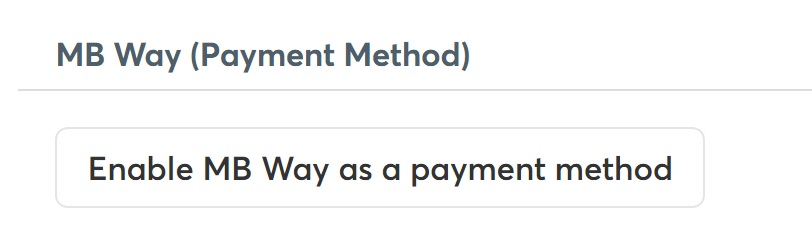
Click on the Enable MB WAY as a payment method button:
MB WAY will be activated and an MB WAY ID allocated to you.
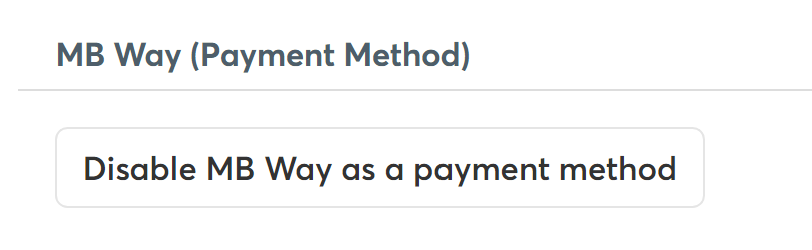
If you would like to deactivate MB WAY, click on the Disable MB WAY as a payment method button:
Merchant Categories
There are no merchant categories that are restricted from having MB WAY QR (for POS) activated.
| Merchant Category (MCC) | Description |
|---|---|
| None | All merchant categories are eligible to have MB WAY QR (for POS) activated |
Payment method messaging
It is important that the customer is aware of the payment methods you offer, as this will increase conversion and average order values. Please see our payment method messaging guide for more details on why and where we would recommend adding this information to your site.
If desired, you can download and use this icon on your site or online store, in order to show customers you offer MB WAY QR (for POS) as a payment method:

Get Support
If you would like to integrate with Viva, or if you have any queries about our products and solutions, please see our Contact & Support page to see how we can help!