
Magento credentials
Used by the Magento Standard Checkout plugin to authenticate via OAuth 2.0.
Find your Magento Standard Checkout credentials
To find your Viva Client Magento Standard Checkout credentials, please follow the steps below:
Please note that this section applies to the Magento Standard Checkout plugin.
If you are using the Magento Smart Checkout plugin (legacy plugin), you need to configure the plugin using your Merchant ID and API Key.
To learn how to obtain your Merchant ID and API Key, please see this guide.
If you are using the Magento Smart Checkout plugin (legacy plugin), you need to configure the plugin using your Merchant ID and API Key.
To learn how to obtain your Merchant ID and API Key, please see this guide.
- Log into Viva (either demo or live ) and select the relevant account
- Navigate to Settings > API Access in the left navigation menu:
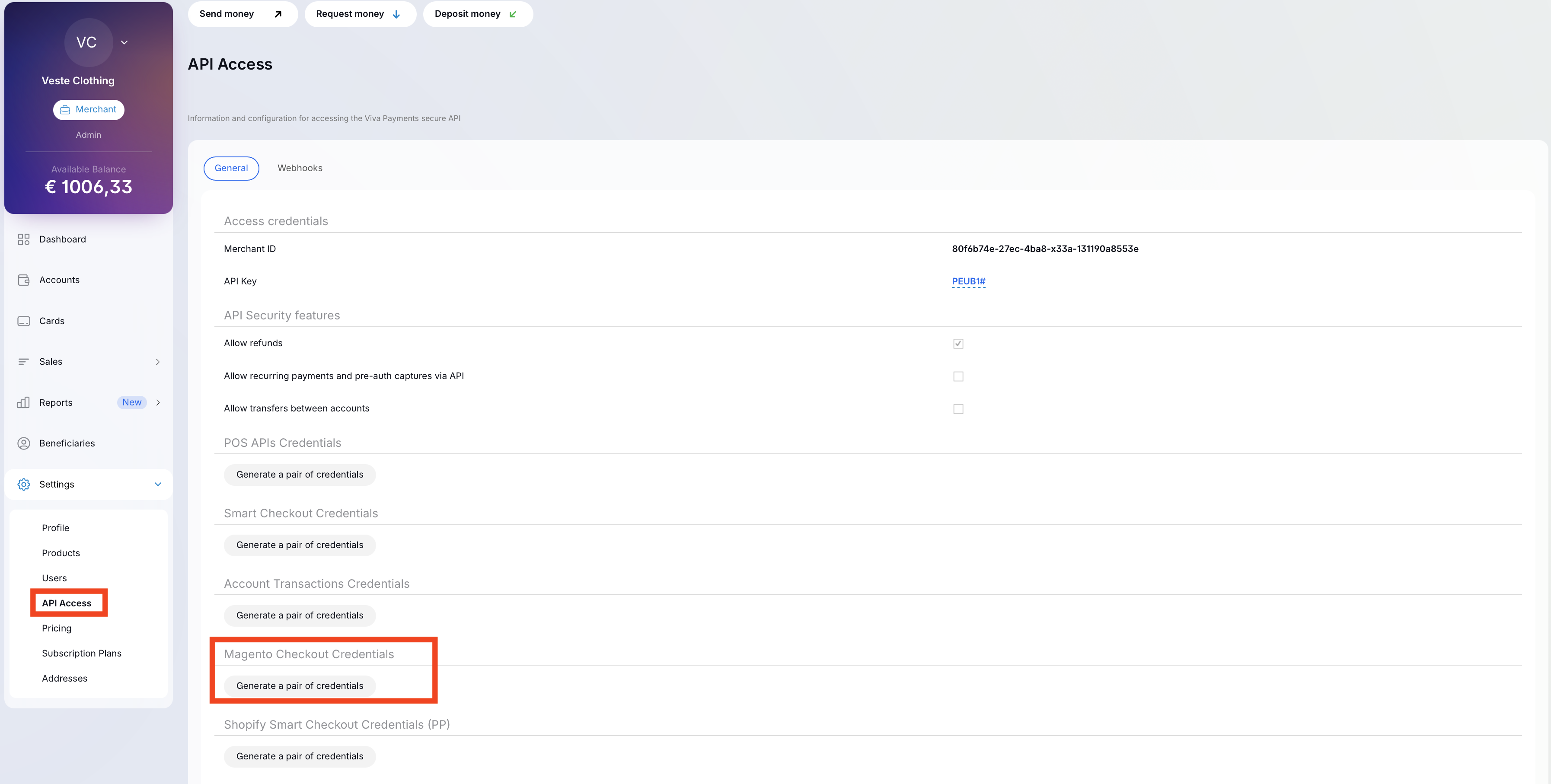
- Scroll down to the Magento Checkout section to view or generate your credentials:

- If needed, you can copy and paste these credentials to a temporary and secure location until you need them
Please note that the Magento Standard Checkout plugin also requires Smart Checkout credentials, which are needed when configuring the plugin settings. To learn how to obtain your Smart Checkout credentials, see this guide.
Get Support
If you would like to integrate with Viva, or if you have any queries about our products and solutions, please see our Contact & Support page to see how we can help!