
E-Surcharge
If you want to offset transaction costs on eligible cards, E-Surcharge lets you transparently pass surcharge fees to the cardholder during checkout.
- Overview
- How to Activate E-Surcharge
- Customer Experience
- Eligibility
- View Surcharge Transactions
- Refunds
- Testing Surcharge in Demo
- Get Support
Overview
E-Surcharge is the online version of Viva’s surcharge functionality, allowing merchants to pass surcharge fees (MerchantServiceCharge) to cardholders when they pay via Smart Checkout.
Where enabled and applicable, the surcharge amount is automatically added to the transaction total. This allows merchants to recover transactional costs such as Interchange Fees, Scheme Fees, and Viva Service Fees, while ensuring transparency for the cardholder.
Features, benefits & restrictions
Features
- Automatically applies surcharge fees to eligible transactions
- Supported on Smart Checkout (e-commerce payments)
- Surcharge amount is calculated as a percentage of the sale amount
- Surcharge is displayed clearly to the cardholder before payment confirmation
- Supports full and partial refunds with proportional surcharge recalculation
- Surcharge data is visible in Viva Self-Care and exportable reports
- Works with Visa and MasterCard/Maestro eligible card types
Restrictions
- Pre-authorisation transactions are not supported
- Surcharge percentage cannot be customised
- Applies only when eligibility criteria are met
- Surcharge is not available for Quick Pay.
How to Activate E-Surcharge
| Environment | Activation details |
|---|---|
| Production | To activate E-Surcharge, please contact your Viva Sales representative or use the Live Chat option in your Production Viva Self-Care account. |
| Demo | To enable surcharge functionality in the demo environment, please contact Viva support. |
Customer Experience
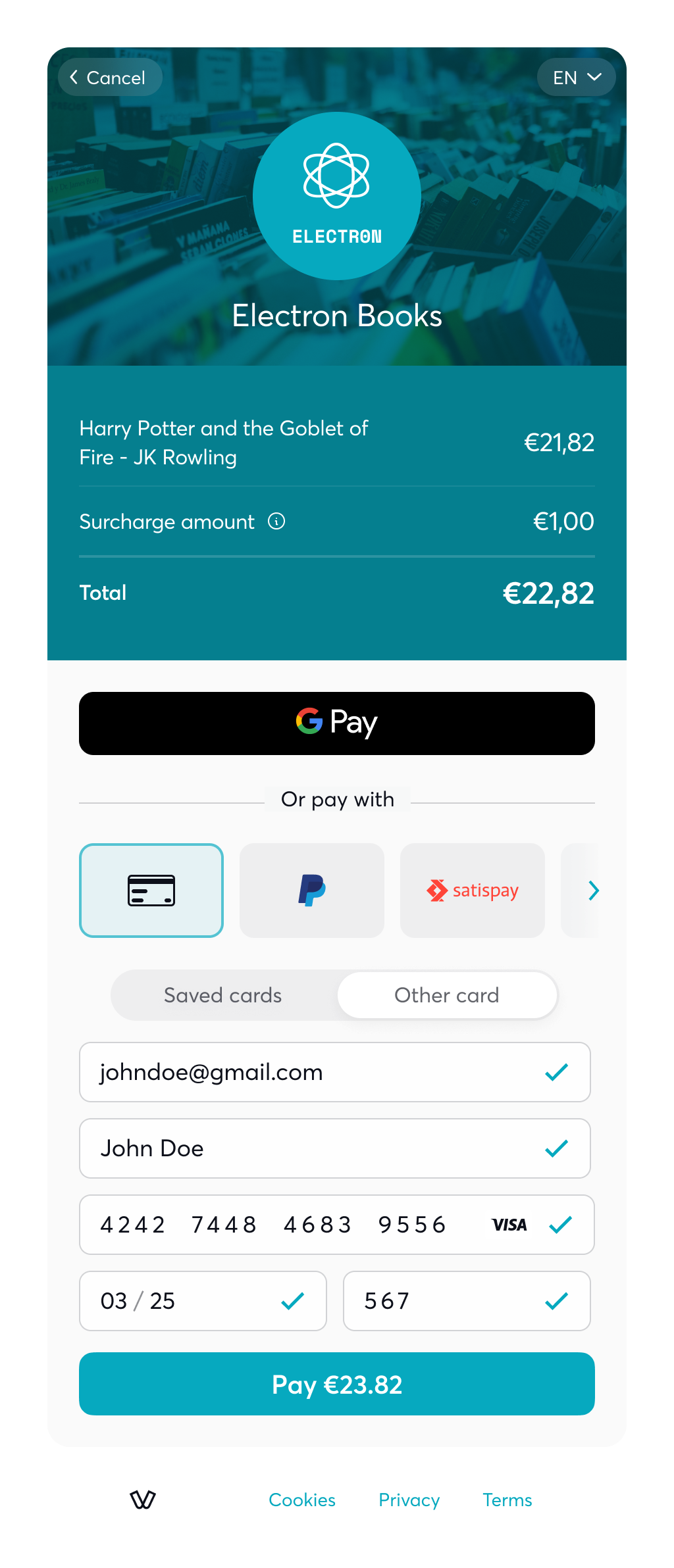
The customer enters their card details:
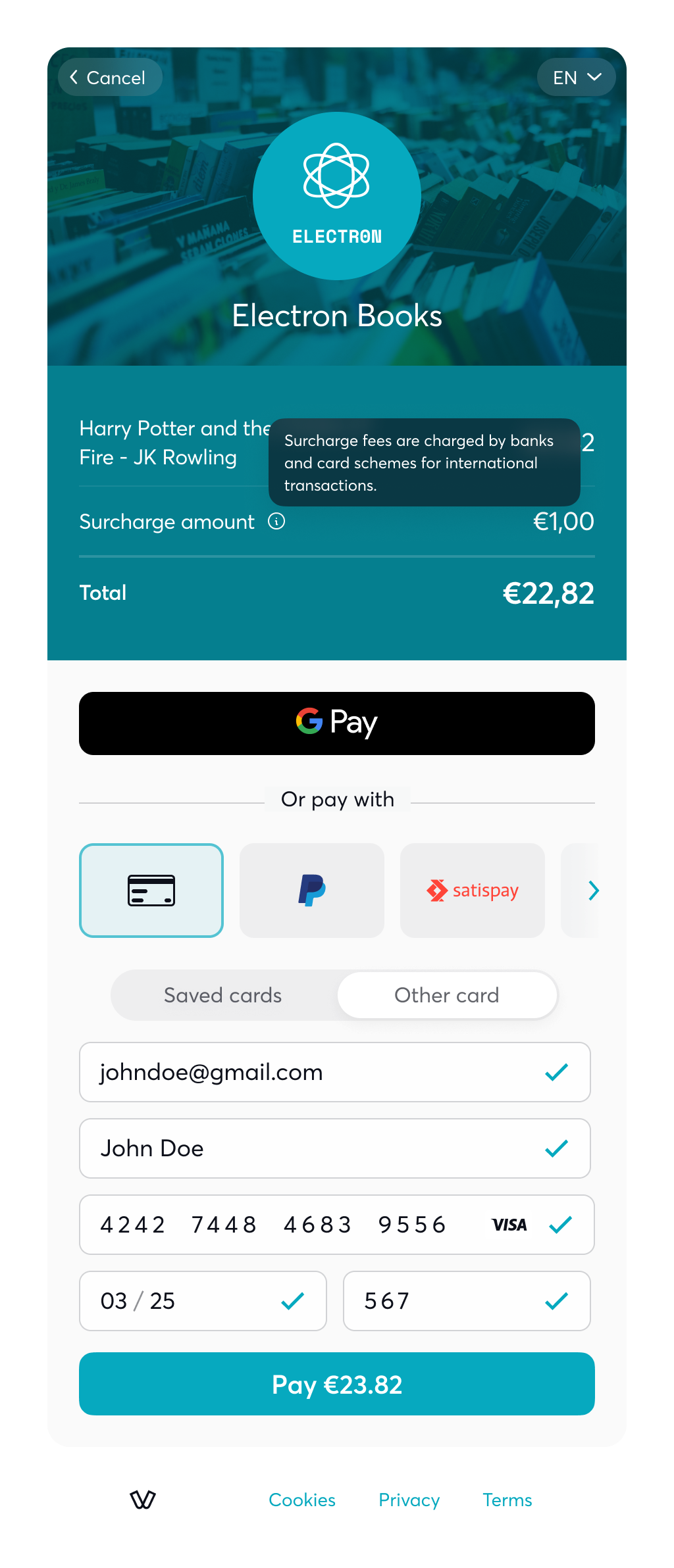
The customer is informed about the surcharge fee:
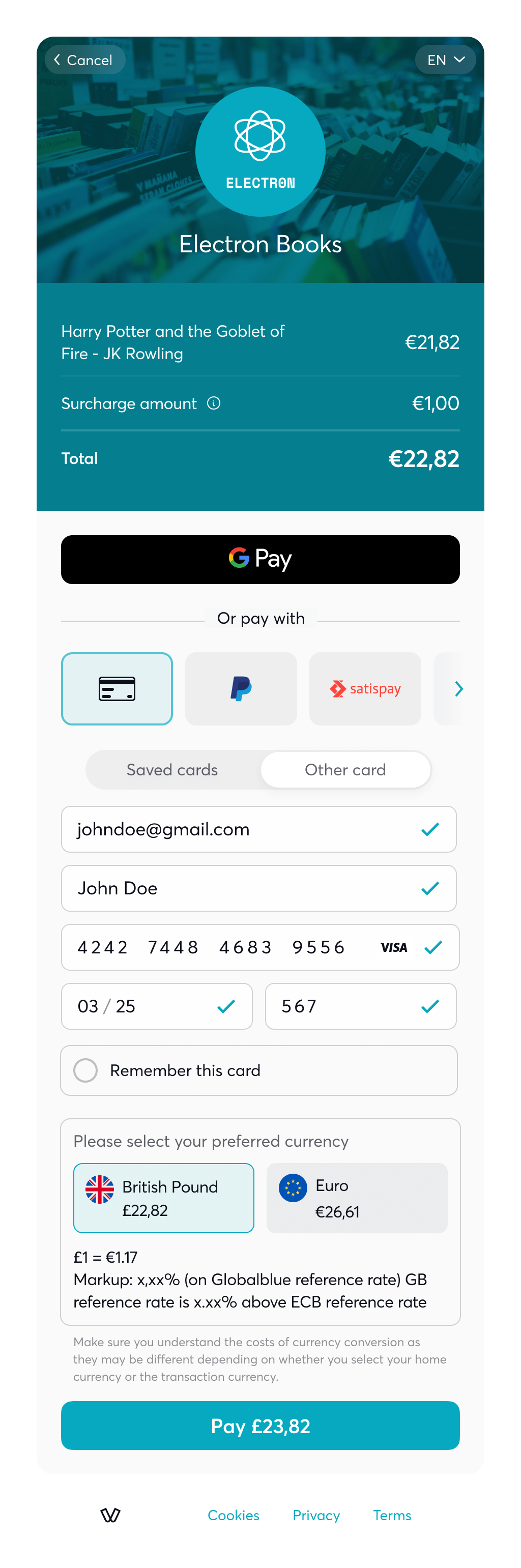
The final amount including surcharge is presented before payment confirmation:
Eligibility
E-Surcharge is supported on Smart Checkout and applies only to eligible transaction types and card schemes.
Transaction Types
- Sales
- Full and Partial Refunds
- Voids / Cancellations
- Reversals
Schemes & Card Types
| Scheme | Supported card types |
|---|---|
| Visa |
|
| MasterCard/Maestro | |
| American Express | All types of cards |
| Diners/Discover |
Surcharge calculation
In cases where surcharge functionality applies, we will first check the card eligibility based on the criteria defined. If applicable, we will then calculate and determine the surcharge amount of the transaction, as below:
- The surcharge amount will be always a percentage of the initial sale amount
- The surcharge amount will be always in the same currency (DKK) as the sale amount
- Third-party card schemes are NOT included (e.g., Amex, Diners, etc.)
- The percentage per-case will be calculated depending on the card type (business/consumer) and the region of the transaction as defined below:
- Domestic Business Card → 2.5% of the sales amount
- EEA Business Card → 3.0% of the sales amount
- Non-EEA Business Card → 3.95% of the sales amount
- Non-EEA Consumer Card → 3.95% of the sales amount
View Surcharge Transactions
Surcharge transactions can be reviewed in your Viva Self-Care account:
- Navigate to Sales → Sales Transactions
- Use Advanced Search to filter transactions with or without surcharge
- Open Transaction Details (Options → Info) to view the Surcharge Amount
- Exported
.xlsreports include surcharge data when downloaded
Refunds
When a refund is processed, the surcharge amount is recalculated proportionally.
Example:
- Sale Amount: €10
- Surcharge: €2
- Total Amount: €12
- Partial Refund: €6
Refunded Surcharge Calculation:
(Refund Amount ÷ Total Amount) × Initial Surcharge = €1
Testing Surcharge in Demo
To activate surcharge functionality in demo, please get in touch with Viva.
When surcharge is activated, the following values will trigger the surcharge request on Smart Checkout:
- 21,09
- 51,09
- 101,09
- 501,09
To successfully trigger the surcharge, open the credit card details form and enter the card information.
Get Support
If you would like to integrate E-Surcharge or have questions about eligibility or activation, please visit our Contact & Support page.