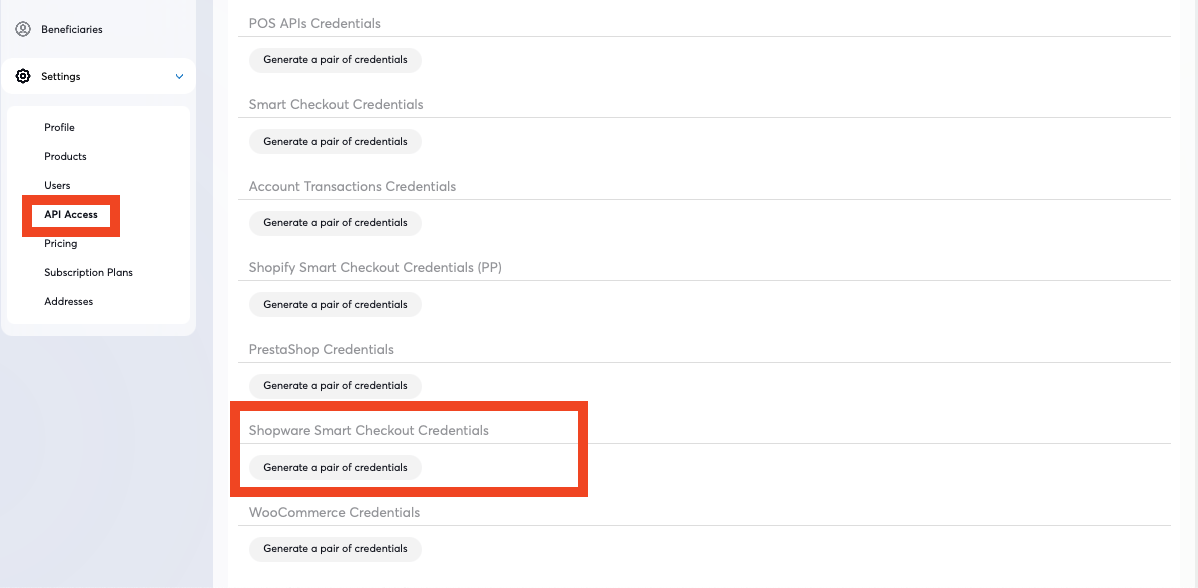
To find your Viva Client Shopware credentials, please follow the steps below:
Log into Viva (either demo or live ) and select the relevant account
Navigate to Settings > API Access in the left navigation menu:
Scroll down to the Shopware Credentials section to view or generate your credentials:
If needed, you can copy and paste these credentials to a temporary and secure location until you need them
Get Support
If you would like to integrate with Viva, or if you have any queries about our products and solutions, please see our Contact & Support page to see how we can help!